
How do I print copies or custom documents online?
With FedEx Office, you can upload your file, choose full-color or black-and-white printing, select your paper type, add available finishing options, and check out online. Same-day in-store pickup may be available for eligible orders.
What paper sizes are available for printing?
We offer multiple standard sizes to fit your printing needs:
- 8.5" x 11" – Standard letter size
- 8.5" x 14" – Legal size
- 11" x 17" – Tabloid size, great for reports and larger documents
Availability may vary depending on the paper type selected.
How quickly can I receive my copies or custom documents?
Most printed documents are available the same day or within 24 hours. Order online and pick up at your nearest FedEx Office location.
Can I print my copies or custom documents full-bleed?
Full-bleed printing is not available. All prints will include a small margin around the edges.
How do I print a double-sided copy or custom document?
To print double-sided, upload a file for each side of your document. You can upload a 2-page PDF, two separate 1-page PDFs, two image files, or a combination of PDF and image files.
After uploading, choose Combine Files or Keep Files Separate. If you combine files, the first page will be the front and the second the back. If you keep files separate, you can arrange the files in My Projects and choose which file appears on each side.
What paper types are available for printing?
We offer a wide variety of paper types to meet your printing needs—from everyday documents to professional reports and specialty applications. Here's a quick overview:
Standard White Papers (20–32 lb):
Lightweight options are ideal for everyday printing, single- or double-sided use, and reports. Recycled and archival-safe options are available.
Professional White Papers (60 lb+):
Thicker, smoother papers are designed for high-quality printing, such as business documents and covers. Options include 60-lb. and 80-lb. laser paper, gloss cardstock, matte covers, and cotton letterhead.
Card Stocks & Specialty Papers:
Heavyweight and specialty options include water-resistant stock for menus, transparency sheets, and carbonless multi-part forms. They are available in multiple colors and weights up to 100 lb.
Standard Color Papers (24 lb):
Vibrant colored paper in shades of canary, blue, red, green, and more is available for everyday use. It is foldable and safe for archival use.
Professional Color Papers:
Higher-quality colored papers (up to 70 lb.) in natural and pastel shades, ideal for professional documents and reports.
Start your print order online to explore all available options.
How do I print carbonless multi-part forms?
To print carbonless multi-part forms online, follow these steps:
-
Prepare your file:
- Upload your document as an 8.5" x 14" file.
- Ensure it is in black and white, as color printing is not available for this option.
-
Once you upload your file, select paper type:
- Under the Paper selection menu, navigate to Card Stocks and Specialty (heavy-weight, transparency, carbonless multi-part, and other special papers).
-
Choose your carbonless paper:
- Select either 2-part carbonless or 3-part carbonless paper, depending on your needs.
-
Customize & print:
- Adjust any additional settings as needed.
- Proceed to checkout and select your preferred pickup or delivery option.
If you need further assistance, visit your nearest FedEx Office location, and a team member can guide you through the process.
What lamination options are available for copies & custom documents?
Enhance the durability and appearance of your printed materials with professional lamination. You can choose from:
- Glossy lamination (full-bleed): Extends to the edge of your document for a smooth, borderless finish.
- Glossy lamination (¼" border): Adds a clear margin around the edges for a framed appearance and extra edge protection.
Lamination provides a protective layer that helps prevent smudging, moisture damage, and everyday wear.
Please note that lamination is available only for select paper types and is not compatible with folding, binding, blank sheet, or tab selections.
What’s the difference between glossy lamination and water-resistant paper?
Glossy lamination is a finishing option added after printing, while water-resistant paper is a specialty paper type.
- Glossy lamination adds a clear protective layer that enhances shine and helps protect against smudges, fingerprints, and light moisture. It is available only for select paper types and is not compatible with folding, binding, blank sheets, or tabs.
- Water-resistant paper is a durable 7.7-mil synthetic paper designed to resist water, tearing, and temperature fluctuations. It is available in 8.5" x 11" and 11" x 17" sizes and can be printed in black and white or full color, single- or double-sided.
Water-resistant paper cannot be laminated because it is already designed for added durability.
What’s the difference between gloss text, gloss cardstock, and glossy lamination?
Gloss text, gloss cardstock, and glossy lamination each offer a different level of shine, thickness, and durability.
- Gloss text is a flexible, high-gloss paper stock that creates a smooth, vibrant finish. It cannot be laminated.
- Gloss cardstock is a heavier, more rigid coated paper with a glossy finish. Lamination is not available for this material.
- Glossy lamination is a clear protective layer added after printing to enhance shine and durability. It is available only for select paper types and is not compatible with folding, binding, blank sheets, or tabs.
What binding options can I choose for my print order?
We offer several binding methods to give your documents a polished, professional look:
- Coil Binding: A flexible plastic spiral looped through holes, allowing pages to turn easily and lie flat. Great for manuals and workbooks.
- Comb Binding: A plastic spine with curved teeth inserted into rectangular holes is ideal for presentations that may need to be edited later.
- 3-Ring Binder: A classic option with removable pages, includes the option to add a spine label.
- Stapling: Choose from top left, top double, or side double staples (not available for 1–2 page documents).
- Covers & Spines: For added durability and presentation value, add front and back covers (card or cover stock) and binder spines.
Note: Binding availability may vary depending on your selected paper type.
Can I add tabs or blank pages to my document?
Yes, you can add blank sheets or tab dividers to organize sections, but there are some limitations:
- Blank Sheets are unavailable if your document is only one page (or two pages double-sided) or if you've selected stapling, cutting, folding, or lamination.
- Tabs can only be added when you choose Coil, Comb, or 3-Ring Binder binding—or if you select hole punching (2- or 3-hole).
Tabs are not available with stapling or no binding.
What cutting and folding options are available?
We offer standard finishing options to shape and fold your prints as needed:
- Cutting: Half (vertical or horizontal), Thirds (vertical or horizontal), Quarter cut
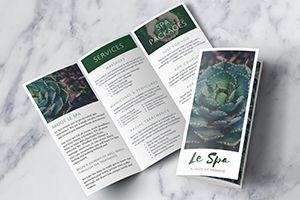
- Folding: Half-Fold, Z-Fold, Tri-Fold
Availability may vary depending on paper type.
Can I hole-punch my documents?
Yes, we offer both 2-hole and 3-hole punch options:
- 3-Hole Punch: Available on the left or top side
- 2-Hole Punch: Available on the left or top side
Availability may vary depending on paper type. Hole punching is compatible with binding options like 3-Ring Binders or for adding your own tabs.