
Notification icon

GET 20% OFF A PRINT ORDER OF $75 OR MORE

GET 20% OFF A $75+ PRINT ORDER WITH CODE JAN120

APPLY JAN120
DETAILS

JOIN OUR EMAIL LIST FOR OFFERS, TIPS, & MORE

JOIN OUR EMAIL LIST FOR OFFERS, TIPS, & MORE

SIGN UP

BECOME A PRINT PREFERRED MEMBER AND START SAVING

BECOME A PRINT PREFERRED MEMBER

APPLY

GET 10% OFF CUSTOM FRAMES

GET 10% OFF CUSTOM FRAMES

DETAILS

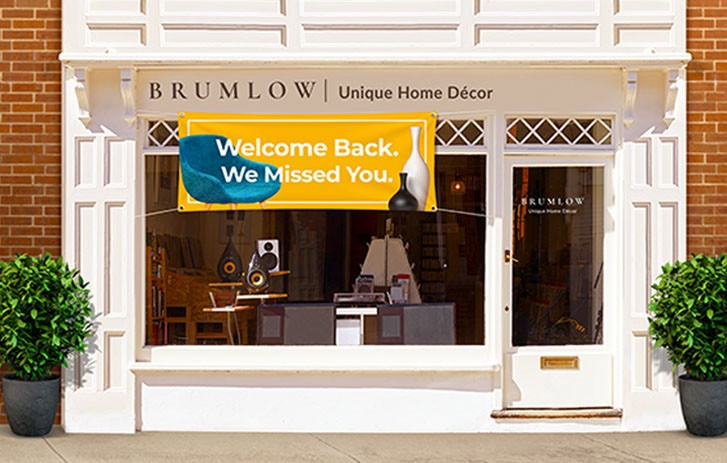
TURN HEADS WITH STRIKING SIGNAGE THAT STANDS OUT

TURN HEADS WITH STRIKING SIGNAGE THAT STANDS OUT

EXPLORE

SAVE $30 ON A PRINT ORDER OF $150 OR MORE

SAVE $30 ON A $150+ PRINT ORDER WITH CODE TIE315

APPLY TIE315
DETAILS

GET 20% OFF A PRINT ORDER OF $75 OR MORE

GET 20% OFF A $75+ PRINT ORDER WITH CODE JAN120

APPLY JAN120
DETAILS

JOIN OUR EMAIL LIST FOR OFFERS, TIPS, & MORE

JOIN OUR EMAIL LIST FOR OFFERS, TIPS, & MORE

SIGN UP

BECOME A PRINT PREFERRED MEMBER AND START SAVING

BECOME A PRINT PREFERRED MEMBER

APPLY

GET 10% OFF CUSTOM FRAMES

GET 10% OFF CUSTOM FRAMES

DETAILS

TURN HEADS WITH STRIKING SIGNAGE THAT STANDS OUT

TURN HEADS WITH STRIKING SIGNAGE THAT STANDS OUT

EXPLORE

SAVE $30 ON A PRINT ORDER OF $150 OR MORE

SAVE $30 ON A $150+ PRINT ORDER WITH CODE TIE315

APPLY TIE315
DETAILS

We're unable to combine this product with items already in your cart. Please complete your existing order, and return back to this tab to complete this order.

FedEx Office self-service copy and print services

FedEx Office offers self-service copying and printing in-store for quick, everyday document needs. Use our self-serve copiers to make full-color or black-and-white copies and printouts, with options for single- or double-sided printing. This service is ideal for everyday business tasks, school, and personal documents when you need fast, do-it-yourself printing.

How self-service copying and printing works

Self-service copying and printing at FedEx Office is designed for quick, do-it-yourself use in the store.

  1. Bring your document or file.
    You can copy paper documents or print digital files. Files can be accessed directly at the self-service screen using a USB drive or by signing in to a cloud storage account such as OneDrive, Dropbox, or Box.
  2. Use the in-store self-service copier.
    Choose color or black-and-white printing, single- or double-sided output, and your desired paper size. Standard paper is included with self-service copying and printing. Customers cannot bring their own paper to use in the machines.
  3. Select paper options, if needed.
    If you need a different paper type, approved paper options are available for purchase at the counter before using the machine.
  4. Pre-authorize payment and print.
    You’ll be asked to pre-authorize payment before printing. The pre-authorization amount is based on the number of copies or printouts you plan to make. Any unused balance is automatically returned to your original method of payment. Cash payment cards are available at the counter.
  5. Finish and take your documents with you.
    Follow the on-screen instructions to complete your job, then collect your printed documents before leaving the machine.

Supported file types include DOC, PPT, PDF, JPG, GIF, BMP, and PNG.

Make copies and prints in-store using self-service machines

A person copying a resume at a FedEx Office locationA person copying a resume at a FedEx Office location

Single and multiple page small format

Use our in-store self-service copiers to copy or print single- and multipage documents on your own. Ideal for everyday business documents, schoolwork, and personal paperwork. Available in letter (8.5" x 11"), legal (8.5" x 14"), and sizes up to tabloid (11" x 17").

Prices vary by store. Contact your local store for details.

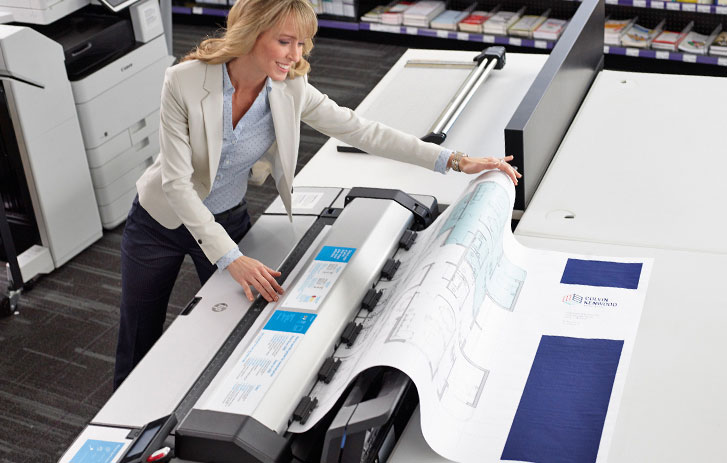
A customer printing a large format architectural print in a FedEx Office locationA customer printing a large format architectural print in a FedEx Office location

Large format

Use self-service large-format printers in store to copy or print oversized documents over 11" x 17". Common uses include blueprints, plans, teaching materials, posters, and banners for work, school, or personal projects. Ideal for those who want to make quick, large prints without full-service assistance.

Prices vary by store. Contact your local store for details.

Print & Go for self-service small-format printing

FedEx Office Print & Go lets you send files from your mobile device and print them at a self-service small-format copier when you arrive at the store. This option is available for single- and multipage documents printed on standard paper.

Print & Go is designed for everyday document printing and is not available for large-format self-service machines.

Order select copy and print jobs online for in-store pickup

Some copy and print jobs can be ordered online for in-store pickup. This option is available for select small- and large-format documents. For most everyday documents, online ordering and in-store self-service printing offer similar options, while larger formats provide additional size flexibility when printed in-store.

Note: Most online orders are ready for in-store pickup within 24 hours.

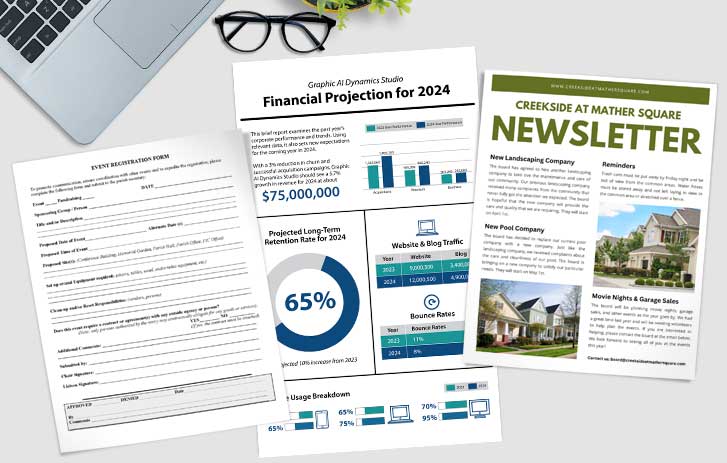
Quickly and efficiently print custom documents in sizes 8.5" x 11", 8.5" x 14", and 11" x 17". Choose from full-color or black-and-white options, and print single or multi-page documents. Enhance your prints with custom lamination and binding finishing solutions.

Print high-quality, professional plans, sets, renderings, and blueprints. Print in full color or black and white. Available in three convenient sizes — 18" x 24", 24" x 36", and 36" x 48". You can also print temporary-use paper banners and posters for events or presentations.

Frequently asked questions

Is self-service copying and printing available at all FedEx Office locations?
Self-service copying and printing is available at most FedEx Office locations. Find a FedEx Office near you that offers self-service copying and printing.
Can I bring my own paper to use in the self-service copiers?
No. Customers cannot bring their own paper for use in self-service copiers. Standard paper is included when using self-service copying and printing. If you need a different paper type, approved options can be purchased at the counter before using the machine.
What file types can I print using self-service machines?
Self-service copiers support common document and image file types, including DOC, PPT, PDF, JPG, GIF, BMP, and PNG files. Files can be accessed using a USB drive or by signing in to a supported cloud storage account on the machine.
Can I use Print & Go for self-serve large-format printing?
No. Print & Go is available for self-service small-format copying and printing only. Large-format documents must be printed directly at in-store self-service large-format machines or ordered online for in-store pickup using preset sizes.
How does payment work at self-service copiers?
Self-service copiers require a payment pre-authorization before printing. All major credit cards are accepted, including Apple Pay, Google Pay, and Samsung Pay. The pre-authorization amount is based on the number of copies or printouts you plan to make and covers the maximum available services at the machine. Any unused balance is automatically returned to your original method of payment. Cash payment cards are available for purchase at the counter.
What’s the difference between self-service and full-service printing?
Self-service printing allows customers to make copies or print documents themselves using in-store machines. Full-service printing is designed for more complex projects and includes assistance from a FedEx Office team member.
Kinkos logoKinkos logo

Kinko's copying services available