
Notification icon

JOIN OUR EMAIL LIST FOR OFFERS, TIPS, & MORE

JOIN OUR EMAIL LIST FOR OFFERS, TIPS, & MORE

SIGN UP

BECOME A PRINT PREFERRED MEMBER AND START SAVING

BECOME A PRINT PREFERRED MEMBER

APPLY

SAVE $20 ON A PRINT ORDER OF $100 OR MORE

SAVE $20 ON A $100+ PRINT ORDER WITH CODE TIE201

APPLY TIE201
DETAILS

SAVE $30 ON A PRINT ORDER OF $150 OR MORE

SAVE $30 ON A $150+ PRINT ORDER WITH CODE TIE315

APPLY TIE315
DETAILS

JOIN OUR EMAIL LIST FOR OFFERS, TIPS, & MORE

JOIN OUR EMAIL LIST FOR OFFERS, TIPS, & MORE

SIGN UP

BECOME A PRINT PREFERRED MEMBER AND START SAVING

BECOME A PRINT PREFERRED MEMBER

APPLY

SAVE $20 ON A PRINT ORDER OF $100 OR MORE

SAVE $20 ON A $100+ PRINT ORDER WITH CODE TIE201

APPLY TIE201
DETAILS

SAVE $30 ON A PRINT ORDER OF $150 OR MORE

SAVE $30 ON A $150+ PRINT ORDER WITH CODE TIE315

APPLY TIE315
DETAILS

We're unable to combine this product with items already in your cart. Please complete your existing order, and return back to this tab to complete this order.

In-store self-service fax services at FedEx Office

Send and receive faxes at FedEx Office using our in-store self-service copier stations. Follow simple on-screen prompts to fax documents on your schedule, with team members available if you need assistance.

How in-store self-service faxing works

Sending a fax using our in-store self-service copiers is straightforward and guided by on-screen prompts.

  1. Visit a FedEx Office location with self-service copiers
    Bring the documents you want to fax to any FedEx Office that offers self-service copier access.
  2. Pre-authorize payment
    You’ll be asked to pre-authorize payment before faxing. The pre-authorization amount is based on the number of pages you plan to fax. Any unused balance is automatically returned to your original method of payment. Cash payment cards are available at the counter.
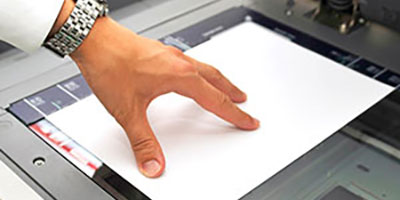
  3. Place your document on the copier, then select fax.
    Follow the on-screen prompts to enter the fax number and prepare your document for sending.
  4. Send your fax and receive confirmation.
    Once your fax is sent, the machine provides confirmation that it was successfully transmitted.
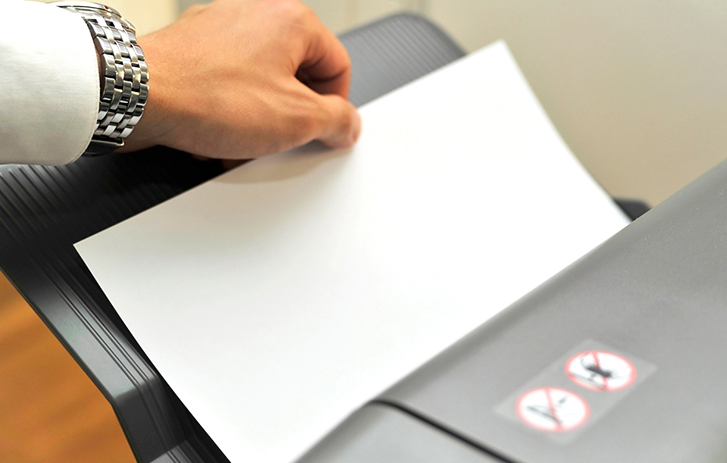
A person faxing a resume in a machineA person faxing a resume in a machine

What you can do with in-store self-service faxing

  • Send and receive local, long-distance, and international faxes
  • Fax letter- and legal-size documents
  • Use in-store self-service copiers with guided on-screen steps
  • Receive a printed confirmation for your records
  • Get a complimentary fax cover sheet
  • Get help from a team member if needed

Prices vary by store. Contact your local store for details.

Frequently asked questions

Is faxing available at all FedEx Office locations?
Faxing is available at FedEx Office locations that offer in-store self-service copiers. Availability can vary by store, so check your local FedEx Office for details.
Can I send and receive international faxes at FedEx Office?
Yes. In-store self-service faxing supports local, long-distance, and international fax transmission. International availability may vary by location.
Do I need an account to use in-store fax services?
No account is required. You can use in-store self-service faxing at FedEx Office and pay directly at the copier using accepted payment methods.
Can someone help me send a fax if I don’t want to use the self-service copier?
Yes. If you prefer assistance, a team member can help send an outbound fax at the counter. Availability and pricing vary by location.
Can I receive a fax at a FedEx Office location?
Some FedEx Office locations can receive incoming faxes for customer pickup. Received faxes are held securely at the store and must be paid for at the counter. Availability and pricing vary by location.